NEW CUSTOMIZATBLE HMI

The big change

A screen change used to be a software releaseNow it is a browser tab

BeforeWeeks to months
Change request
Development
Testing
Release to site
Maintenance window
NowSame day
Open the browser
Change the screen
Save
Live

No release, no restart. Monitoring and control keep running the entire time.

Dashboards
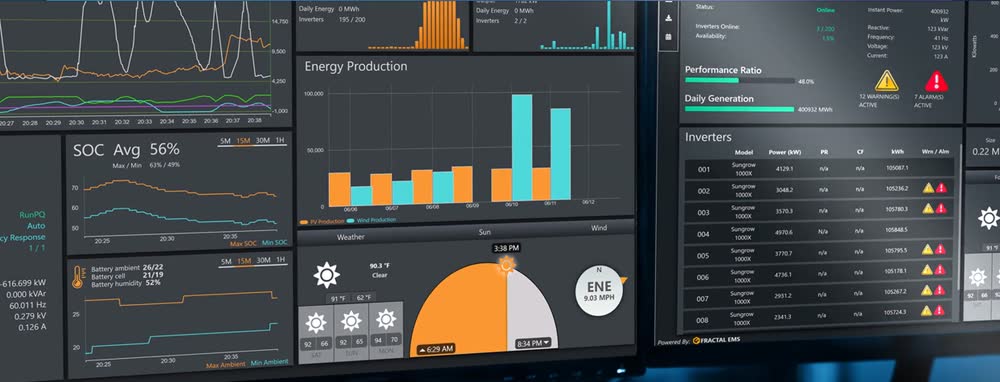
Fractal EMS HMI dashboard with energy production, SOC and inverter widgets

Everything for the task on one screen

Build from ready-made widgets: live readings, trends, alarms, equipment lists, weather, the site diagram and control buttons
Bind any point from its topic, or combine several into one computed value
Start from a library of prebuilt tabs or a blank canvas
Less jumping between pages during an event

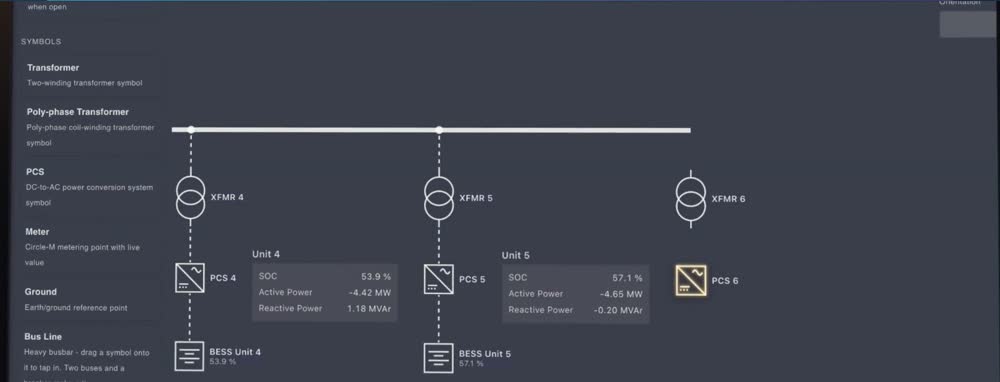
Single-line diagrams

Single-line diagram editor showing transformers, PCS units and live unit values

Draw and maintain your own SLD

Built-in editor, with no development cycle or release
Breakers show their actual state
Lines show which way power is flowing
The diagram stays in step with the real site

Zero downtime in practice

Operators carry on as normal

Monitoring and control keep running while engineers work on the screens.

Private until saved

A dashboard being rearranged doesn't change for anyone else until it's saved.

Same-day fixes

A missing point or wrong label goes in today, not in the next release.

Build first, publish later

Check a new page, then make it visible to operators when it's ready.

Undo in the browser

No rollback deployment. Deleted diagrams go to an archive and can be restored.

Smaller risk

A release touches the whole product. A screen change touches only that screen.

Safety checks stay on

Every command is confirmed before it's sent. Nothing goes out while controls are locked.

Controls and navigation
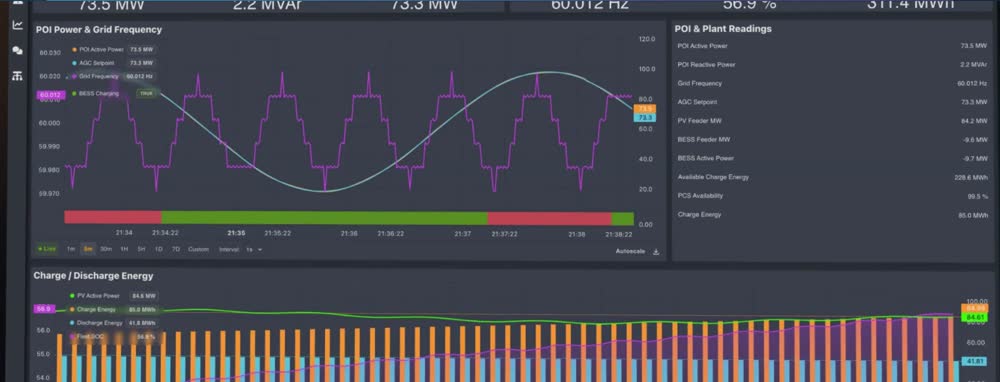
HMI screen with POI power and grid frequency trends and plant readings

Your panels, your menus, your rules

Set up your own control panels and decide who can use them
Save routine multi-step procedures and run them as a sequence
Add your own menu sections, each limited to certain roles
Only engineers and administrators can change screens or controls

Across sites and on shift

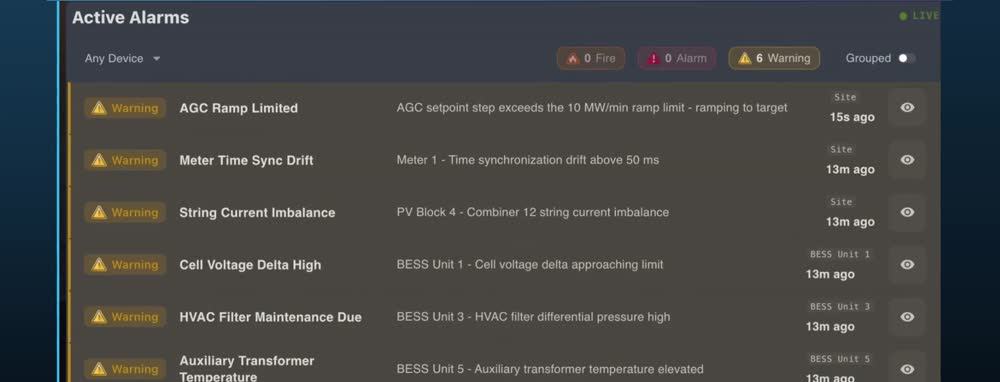
Active alarms list with warnings by device and time

Build it once, copy it to the next site

Copy anything to another site and it adapts automatically, with no extra deployment
Share a dashboard snapshot of exactly what someone saw, for handovers and event reviews
Your logo, theme colors and layout, white-labeled for preferred partners
A built-in guided tour for new staff, and our in-house team on call 24/7

One HMI, every role

Built for the people who run the site

Owners

Performance and availability at a glance.

Traders

The values that drive the bid, on one screen.

Operators

Everything for the task without jumping between pages.

Engineers

Build and change screens themselves, same day.

See the customizable HMI on your site's data
Request a demo
fractal-adminNEW CUSTOMIZATBLE HMI